
Setting up a Miller stick welder properly ensures safe operation and quality welds. This guide walks you through the complete setup process, from initial unpacking to making your first weld. You’ll learn proper cable connections, amperage settings, electrode selection, and safety preparations that professional welders use every day.
Connect the work clamp to your workpiece, insert an electrode into the electrode holder, set appropriate amperage based on electrode size and material thickness, ensure proper ventilation, wear safety gear, and perform a test weld to verify settings before starting your project.
Essential Equipment and Safety Gear to Set Up a Miller Stick Welder
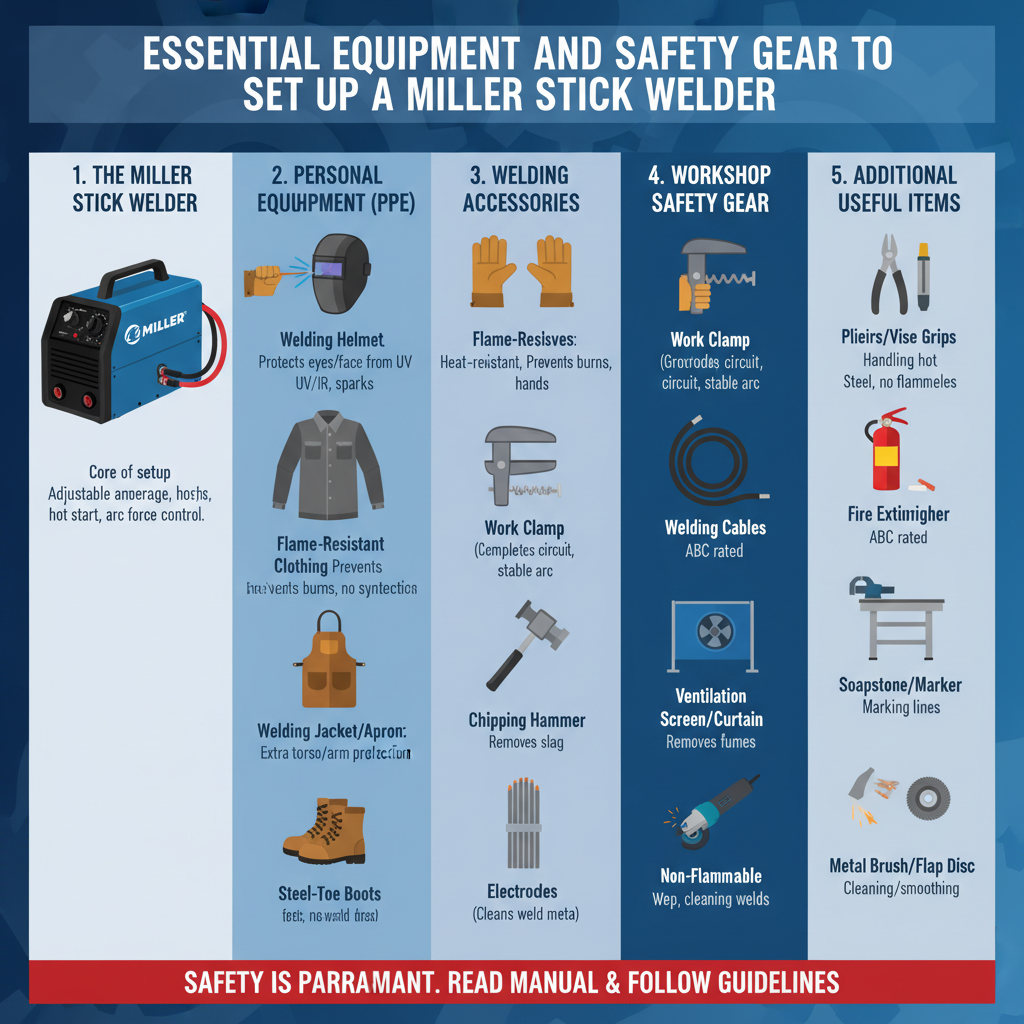
Before beginning setup, gather all necessary equipment. Your Miller stick welder package typically includes the welding machine, electrode holder, work clamp, and power cable. You’ll also need welding electrodes appropriate for your project.
Safety equipment is non-negotiable. A welding helmet with proper shade rating protects your eyes from harmful UV radiation. Leather welding gloves prevent burns from hot metal and spatter. Fire-resistant clothing covers exposed skin areas.
Ensure adequate ventilation in your work area. Stick welding produces fumes that require proper air circulation. Set up fans or work outdoors when possible to maintain air quality.
Initial Machine Inspection and Placement to Set Up a Miller Stick Welder
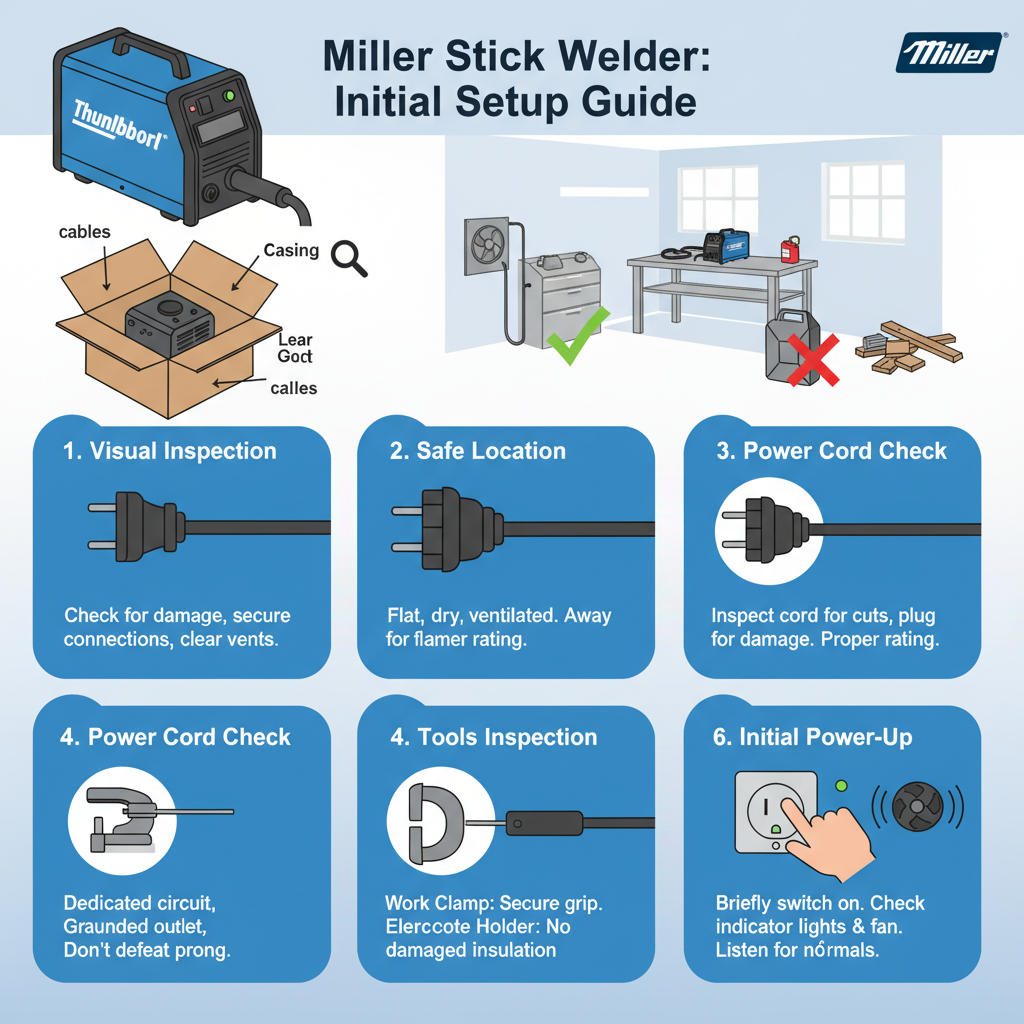
Examine your Miller welder for shipping damage before setup. Check for loose connections, damaged cables, or dents in the housing. Report any issues to your dealer immediately.
Position the welder on a stable, level surface away from flammable materials. Most Miller stick welders require at least 12 inches of clearance around air vents for proper cooling. Avoid dusty or wet locations that could damage internal components.
Verify the power requirements match your electrical supply. Miller stick welders operate on either 120V or 240V depending on the model. Using incorrect voltage can damage the machine or create safety hazards.
Power Connection and Electrical Setup to Set Up a Miller Stick Welder
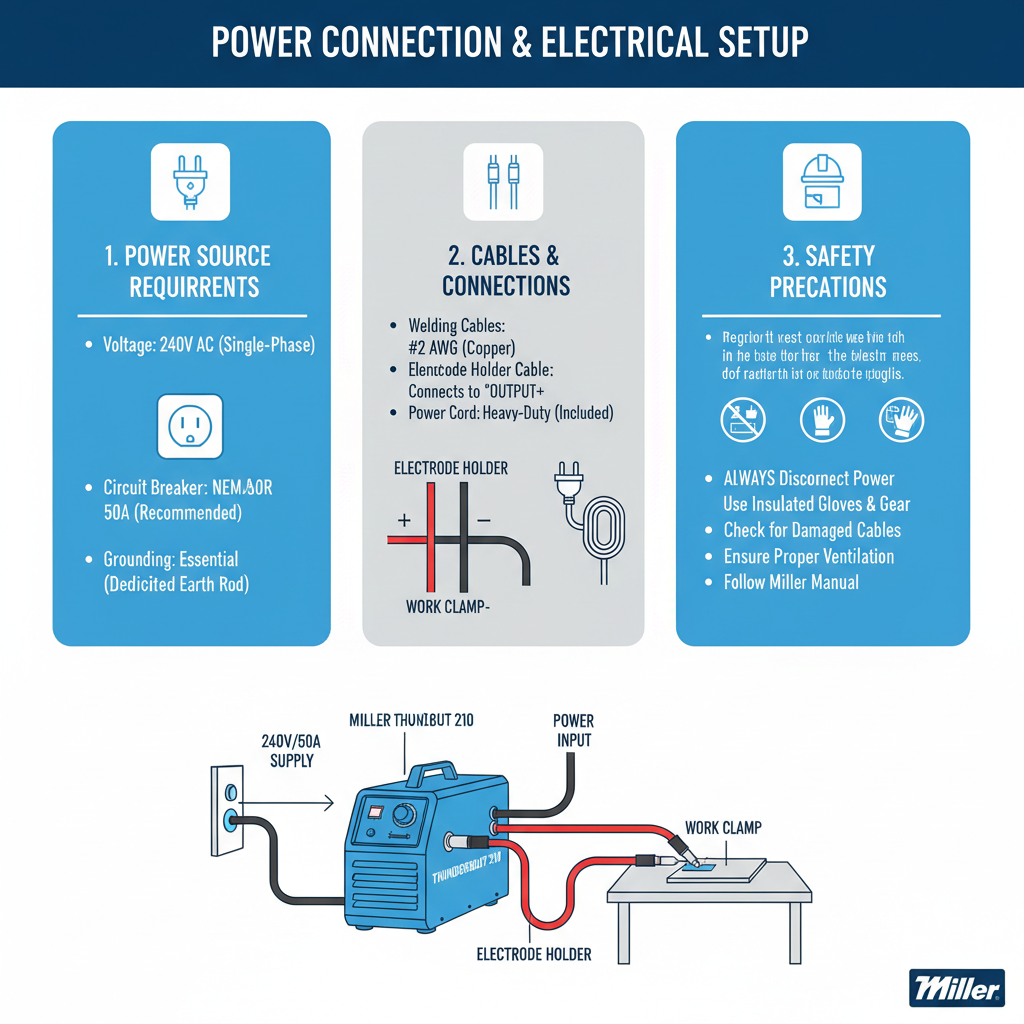
Connect the power cable to an appropriate electrical outlet. For 240V models, ensure the outlet matches the plug configuration. Some Miller welders include adapters for different outlet types.
Check that your electrical circuit can handle the welder’s amperage requirements. A 20-amp circuit typically supports smaller 120V models, while larger 240V units may require 30-50 amp circuits. Consult an electrician if you’re unsure about your electrical capacity.
Test the power connection by turning on the machine. Most Miller welders have indicator lights showing proper power supply. If lights don’t illuminate or appear dim, check your electrical connections before proceeding.
Cable Connections and Setup to Set Up a Miller Stick Welder
Attach the work clamp cable to the negative terminal on your Miller welder. This connection must be tight to prevent arcing or poor weld quality. Most Miller models use twist-lock connections that secure firmly when properly seated.
Connect the electrode holder cable to the positive terminal. This creates the electrical circuit needed for stick welding. Some welding applications require reverse polarity, so check your electrode packaging for specific requirements.
Inspect both cables for damage before each use. Cracked insulation or loose connections create safety hazards and affect weld quality. Replace damaged cables immediately rather than attempting repairs.
Work Clamp Positioning and Grounding
Position the work clamp as close to your welding area as possible. This minimizes electrical resistance and improves arc stability. Clean the contact area of paint, rust, or oil to ensure good electrical connection.
The work clamp must make solid contact with your workpiece or welding table. A poor ground connection causes erratic arcing and weak welds. Some welders prefer magnetic work clamps for quick repositioning during projects.
For thick materials or complex assemblies, consider using multiple ground connections. This ensures consistent electrical flow throughout your workpiece and prevents arc blow issues that can affect weld quality.
Amperage Settings and Control Adjustments
Set your amperage based on electrode diameter and material thickness. A general rule uses 40 amps per 1/32 inch of electrode diameter. For example, a 1/8-inch electrode typically requires 120-140 amps for optimal performance.
Miller welders feature either step controls or infinite adjustment dials. Step controls offer preset amperage ranges, while infinite adjustment provides precise control. Start with manufacturer recommendations and adjust based on your welding results.
Material thickness also influences amperage settings. Thicker materials require higher amperage to achieve proper penetration. Thin materials need lower settings to prevent burn-through. Practice on scrap material to find optimal settings for your specific project.
Electrode Selection and Preparation
Choose electrodes appropriate for your base material and welding position. E6013 electrodes work well for beginners due to their forgiving characteristics and smooth arc. E7018 electrodes provide stronger welds but require dry storage conditions.
Store electrodes in a dry location to prevent moisture absorption. Wet electrodes cause porosity and poor weld quality. Some welders use electrode ovens to maintain proper moisture levels for critical applications.
Inspect electrodes before use for cracks, damaged flux coating, or bent cores. Damaged electrodes produce poor welds and may stick to your workpiece. Keep a variety of electrode sizes available for different welding situations.
Pre-Welding Test and Calibration
Perform test welds on scrap material before starting your actual project. This verifies your settings and allows adjustments without affecting your workpiece. Use the same material thickness and electrode type as your final project.
Evaluate your test welds for proper penetration, bead appearance, and spatter levels. Good stick welds show consistent ripple patterns and complete fusion with the base material. Excessive spatter indicates too high amperage or poor technique.
Adjust amperage settings based on test results. If the electrode sticks frequently, increase amperage slightly. If you’re burning through thin material, reduce amperage and consider smaller electrodes.
Common Setup Problems and Solutions
Electrode sticking often results from too low amperage or poor arc starting technique. Increase amperage by 10-15 amps and practice quick arc initiation. Some Miller welders include hot start features that provide extra amperage for easier starts.
Excessive spatter indicates amperage settings that are too high or contaminated base material. Clean your workpiece thoroughly and reduce amperage gradually until spatter decreases to acceptable levels.
Poor arc stability may result from loose cable connections or inadequate grounding. Check all connections and ensure your work clamp makes solid contact with clean metal. Long cable runs can also cause arc stability issues.
Maintenance and Storage Considerations
Clean your Miller welder regularly to prevent dust buildup in cooling vents. Use compressed air to blow out internal components monthly or after heavy use. Blocked vents cause overheating and premature component failure.
Store electrodes in sealed containers with desiccant packs to prevent moisture absorption. Wet electrodes cause weld defects and may damage your welder’s electrical components. Label containers with electrode types and dates for easy identification.
Check cable connections periodically for signs of overheating or corrosion. Loose connections generate heat that can damage terminals or create fire hazards. Tighten connections and clean terminals as needed to maintain safe operation.
Frequently Asked Questions
What amperage should I use for 1/8-inch electrodes?
Start with 120-140 amps for 1/8-inch electrodes on medium thickness steel. Adjust based on your welding position and material thickness. Vertical and overhead positions typically require 10-15% less amperage than flat welding.
Can I use my Miller stick welder on aluminum?
Most Miller stick welders cannot weld aluminum effectively. Aluminum requires AC welding capability that standard DC stick welders don’t provide. Consider TIG or MIG welding for aluminum projects.
How do I know if my work clamp connection is good?
A proper work clamp connection shows no sparking or arcing at the contact point during welding. The clamp should feel warm but not hot after extended welding. Excessive heat indicates poor electrical contact.
Why does my electrode keep sticking to the workpiece?
Electrode sticking usually indicates insufficient amperage for the electrode size or poor arc starting technique. Increase amperage by 10-20 amps and practice quick, scratching motions to initiate the arc.
What’s the difference between AC and DC stick welding?
DC welding provides better arc stability and deeper penetration for most applications. AC welding works better on materials with magnetic properties that cause arc blow. Most Miller stick welders provide DC output only.
How often should I replace welding cables?
Replace cables when insulation shows cracks, burns, or excessive wear. Damaged insulation creates shock hazards and affects weld quality. Quality cables typically last several years with proper care and storage.
Can I weld in the rain with my Miller stick welder?
Never weld in wet conditions or with wet equipment. Moisture creates serious shock hazards and can damage your welder’s electrical components. Wait for dry conditions or move to a covered area before welding.
Final Thoughts
Proper Miller stick welder setup forms the foundation for successful welding projects. Take time to verify all connections, select appropriate settings, and test your setup before starting critical work. Remember that welding skills improve with practice, so don’t expect perfect results immediately.
Safety remains the top priority throughout setup and operation. Never skip safety equipment or work in unsafe conditions to save time. A few extra minutes spent on proper setup prevents accidents and produces better welding results.
Keep detailed records of successful settings for different materials and electrodes. This information saves time on future projects and helps you develop consistent welding techniques. With proper setup and practice, your Miller stick welder will provide years of reliable service for both hobby and professional applications.