
Is your Miller Classic welding helmet’s auto-darkening feature acting up or not working at all? A dead or dying battery is often the culprit behind these frustrating issues that can interrupt your welding projects and compromise safety.
To change the battery in a Miller Classic welding helmet, locate the battery compartment on the inside of the helmet, remove the old lithium battery (typically CR2032), and insert a new one with the positive side facing up. The process takes less than 5 minutes and requires no tools.
This guide walks you through the entire battery replacement process, from identifying the right battery type to troubleshooting common issues after installation.
Signs Your Miller Classic Helmet Battery Needs Replacement
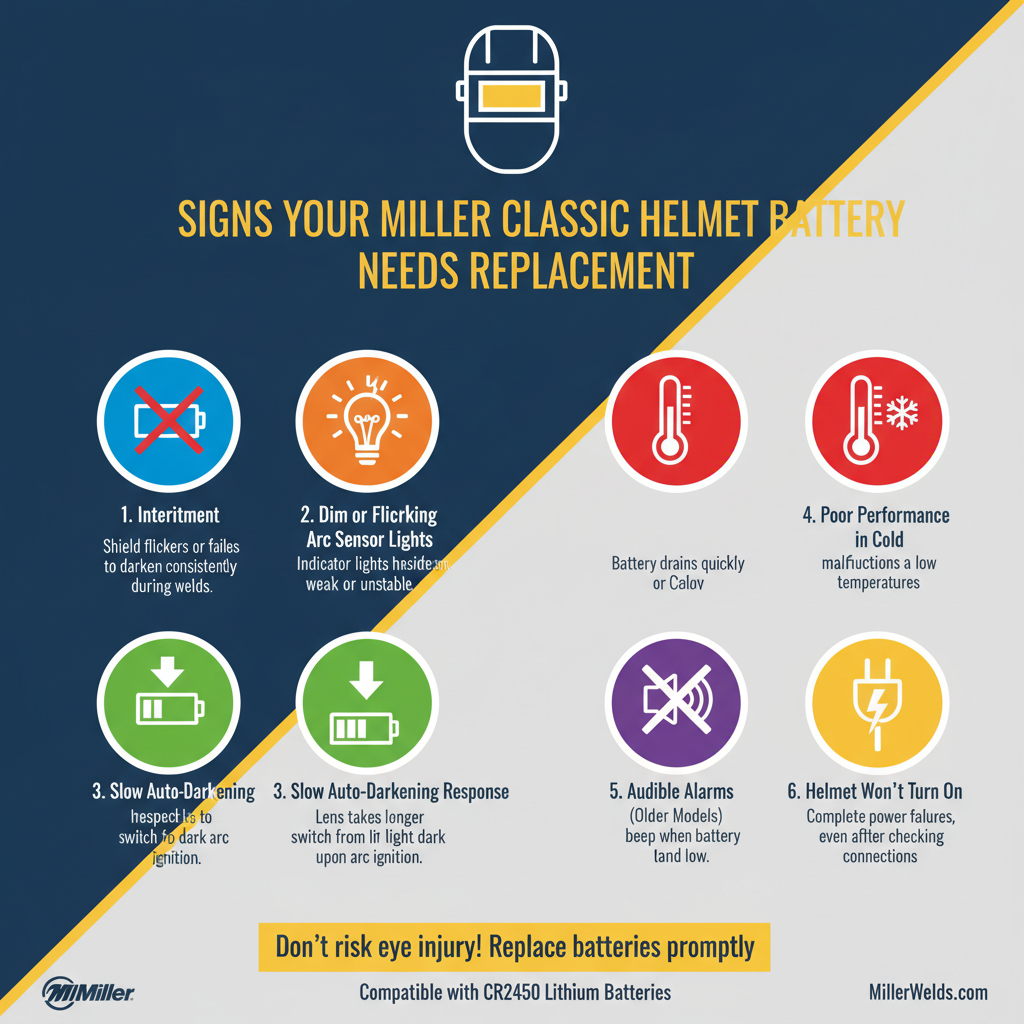
Recognizing battery failure early prevents welding interruptions and safety hazards.
Performance indicators:
• Auto-darkening feature stops working consistently
• Lens stays dark even when not welding
• Sensitivity and delay controls become unresponsive
• Intermittent flickering during welding
Visual warning signs:
• Low battery indicator light (if equipped)
• Dim or no display on digital readouts
• Slow response time when arc strikes
Most Miller Classic helmets use lithium batteries that last 6-12 months with regular use. Heavy welders may need replacements every 3-4 months.
Required Tools and Materials
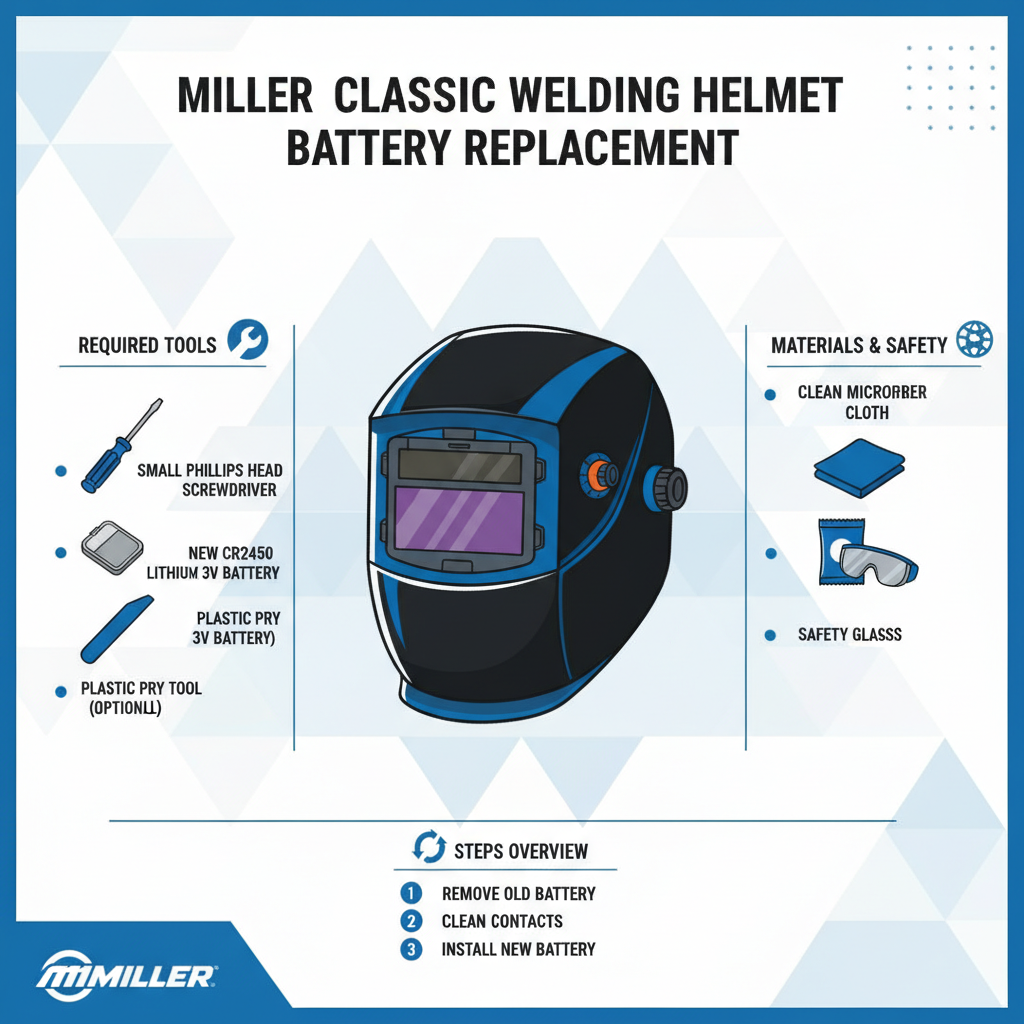
Battery replacement requires minimal equipment, making it a simple DIY task.
Essential items:
• New CR2032 lithium battery (3V)
• Clean, lint-free cloth
• Good lighting or flashlight
Optional tools:
• Small flathead screwdriver (for stubborn battery compartments)
• Compressed air for cleaning
Always use genuine lithium batteries from reputable manufacturers. Cheap alternatives often fail prematurely and may leak, damaging your helmet’s electronics.
Step-by-Step Battery Replacement Process

Now let’s walk through the complete replacement procedure.
Step 1: Prepare Your Workspace
Turn off your helmet and remove it from your head. Work in a well-lit area away from metal shavings and welding debris.
Clean the helmet’s interior with a dry cloth to remove any dust or residue that might interfere with the battery compartment.
Step 2: Locate the Battery Compartment
The battery compartment is typically located on the inside of the helmet, near the auto-darkening filter.
Common locations:
• Behind the headgear adjustment knobs
• On the side panel of the filter cartridge
• Underneath a small plastic cover marked with a battery symbol
Some models have the compartment integrated into the control panel housing.
Step 3: Remove the Old Battery
Open the battery compartment by sliding or lifting the cover. Most Miller Classic helmets use a simple slide-off cover that doesn’t require tools.
Carefully remove the old battery, noting its orientation. The positive (+) side typically faces up or toward the lens.
Important: Don’t force the battery out if it seems stuck. Gently rock it side to side while lifting.
Step 4: Install the New Battery
Insert the new CR2032 battery with the correct orientation. The positive side should match the old battery’s position.
Press down gently until the battery sits flush in its compartment. You should feel it click into place.
Step 5: Test the Installation
Replace the battery compartment cover and turn on your helmet. Test the auto-darkening function by looking at a bright light source.
The lens should darken immediately when exposed to bright light and return to its light state when the light source is removed.
Battery Specifications and Compatibility
Understanding the correct battery specifications ensures optimal performance and longevity.
| Specification | Requirement |
|---|---|
| Battery Type | CR2032 Lithium |
| Voltage | 3V |
| Diameter | 20mm |
| Thickness | 3.2mm |
| Expected Life | 6–12 months |
| Operating Temperature | -10°F to 140°F |
Compatible brands:
• Energizer CR2032
• Duracell CR2032
• Panasonic CR2032
• Maxell CR2032
Avoid using rechargeable batteries, as they provide lower voltage and may not power the helmet’s electronics properly.
Common Installation Mistakes to Avoid
Even simple battery replacements can go wrong without proper attention to detail.
Orientation errors:
• Installing the battery upside down
• Forcing the battery into the wrong position
• Not seating the battery completely
Contamination issues:
• Touching the battery terminals with dirty hands
• Getting welding debris in the compartment
• Using damaged or corroded batteries
Testing oversights:
• Not testing the helmet before welding
• Skipping the sensitivity adjustment check
• Ignoring warning indicators after installation
Always double-check your work before returning to welding tasks.
Troubleshooting Post-Installation Issues
Sometimes problems persist even after battery replacement.
Helmet Still Not Working
If the auto-darkening feature remains non-functional, check these potential causes:
Battery-related issues:
• Battery installed backwards
• Poor connection due to corrosion
• Defective new battery
System problems:
• Damaged internal wiring
• Failed auto-darkening filter
• Control circuit malfunction
Try removing and reinstalling the battery. If problems persist, the helmet may need professional service.
Inconsistent Performance
Intermittent operation often indicates connection problems or environmental factors.
Common causes:
• Loose battery connection
• Extreme temperature conditions
• Electromagnetic interference from welding equipment
Clean the battery contacts with a dry cloth and ensure the battery sits firmly in place.
Reduced Battery Life
If batteries drain quickly, examine your welding habits and helmet settings.
Factors affecting battery life:
• High sensitivity settings
• Frequent on/off cycling
• Extreme temperature exposure
• Defective auto-off function
Adjust sensitivity settings to the minimum required level for your welding applications.
Maintenance Tips for Extended Battery Life
Proper helmet care maximizes battery performance and lifespan.
Daily practices:
• Turn off the helmet when not in use
• Store in moderate temperature environments
• Keep the lens clean and unobstructed
Weekly maintenance:
• Check battery compartment for debris
• Verify all control settings
• Inspect for physical damage
Monthly tasks:
• Clean battery contacts if needed
• Test all helmet functions
• Replace batteries showing weakness
Regular maintenance prevents unexpected failures and extends overall helmet life.
When to Seek Professional Help
Some situations require expert intervention beyond simple battery replacement.
Professional service indicators:
• Multiple battery failures in short periods
• Physical damage to battery compartment
• Electrical burning smells
• Cracked or damaged auto-darkening filter
Warranty considerations:
• Helmet still under manufacturer warranty
• Unauthorized repairs void coverage
• Professional diagnosis needed for complex issues
Miller offers authorized service centers for major repairs and warranty work.
Frequently Asked Questions
How often should I replace my Miller Classic helmet battery?
Replace the battery every 6-12 months with normal use, or immediately when you notice performance issues. Heavy welders may need replacements every 3-4 months.
Can I use rechargeable batteries in my Miller Classic helmet?
No, rechargeable batteries provide insufficient voltage (1.2V vs 3V) and won’t power the auto-darkening electronics properly. Always use CR2032 lithium batteries.
What happens if I install the battery backwards?
Installing the battery backwards won’t damage your helmet, but it won’t work. Simply remove the battery and reinstall it with the correct orientation.
Why does my new battery drain quickly?
Rapid battery drain usually indicates high sensitivity settings, frequent use, or a defective battery. Try adjusting settings and replacing with a different brand if problems persist.
Can extreme temperatures affect battery performance?
Yes, both very hot and very cold temperatures reduce battery life and performance. Store your helmet in moderate temperature environments when possible.
Should I remove the battery when storing my helmet long-term?
Yes, remove the battery during extended storage periods to prevent potential leakage damage. Store the battery separately in a cool, dry place.
How do I know if my helmet needs a new battery or has other problems?
Try a fresh battery first. If problems persist after proper installation, the helmet likely needs professional diagnosis for internal component issues.
Key Takeaways
• Miller Classic helmets use CR2032 lithium batteries that last 6-12 months with normal use
• Battery replacement takes less than 5 minutes and requires no special tools
• Always install batteries with the positive side facing up or toward the lens
• Test your helmet’s auto-darkening function immediately after battery installation
• Clean battery contacts and compartments regularly to ensure reliable connections
• Replace batteries at the first sign of performance issues to maintain welding safety
• Seek professional help if problems persist after proper battery replacement
Final Thoughts
Changing the battery in your Miller Classic welding helmet is a straightforward maintenance task that every welder should master. Regular battery replacement ensures consistent auto-darkening performance and maintains the safety features that protect your vision during welding operations. Keep spare batteries on hand and establish a replacement schedule based on your welding frequency to avoid unexpected failures that could interrupt important projects.