Replacing the battery in your Miller Digital Infinity welding helmet is a straightforward maintenance task that every welder should know. This guide will walk you through the complete process, from identifying the correct battery type to troubleshooting common issues. You’ll learn the exact steps to safely remove and install a new battery, plus essential tips to maximize battery life and ensure your auto-darkening lens functions properly.
To change the battery in a Miller Digital Infinity welding helmet, locate the battery compartment on the outside of the helmet shell, slide open the cover, remove the old lithium battery, and insert a new CR2032 or CR2450 battery (depending on your model) with the positive side facing out. The lens should automatically reset and function normally.
Identifying Your Miller Digital Infinity Model
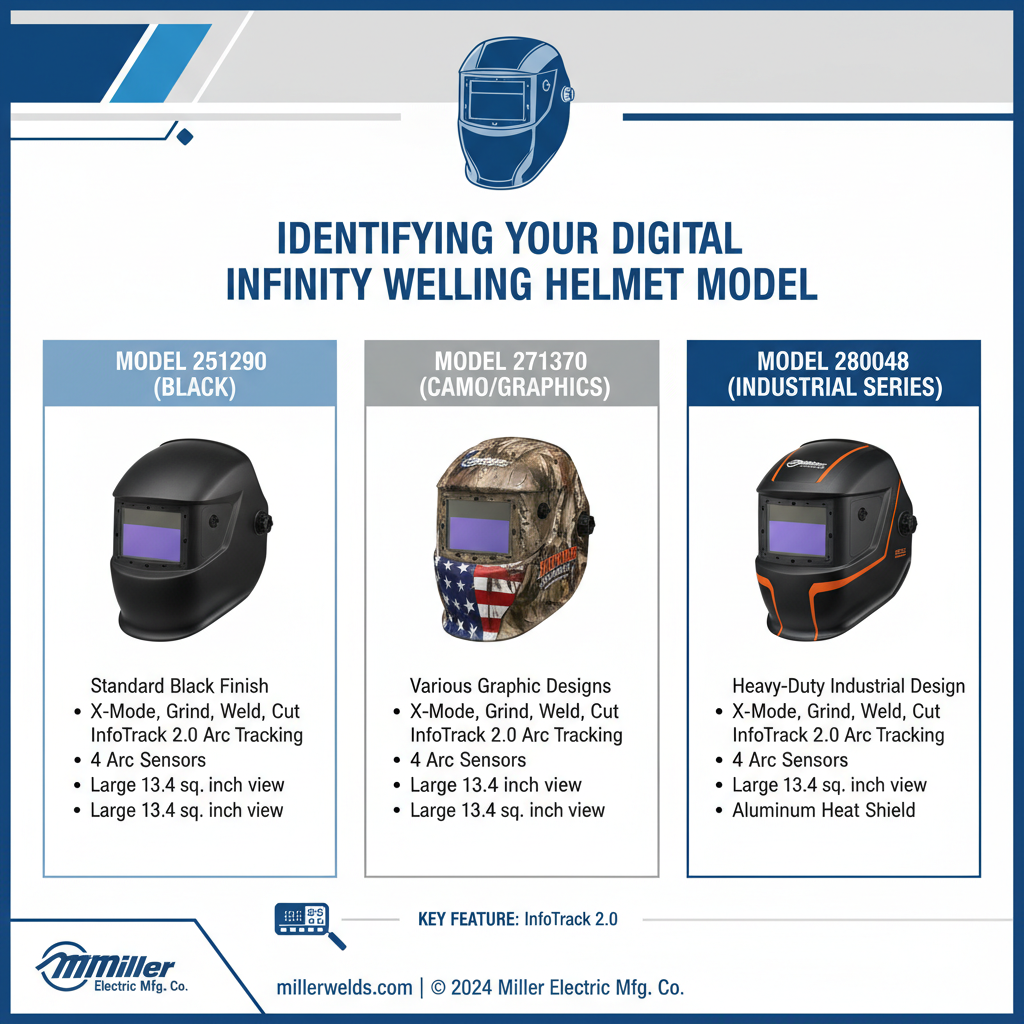
Miller produces several Digital Infinity helmet variations, and battery requirements differ between models. Most Digital Infinity helmets use either a CR2032 or CR2450 lithium coin cell battery.
The original Digital Infinity typically uses a CR2450 battery, while newer models often use the smaller CR2032. Check your helmet’s user manual or look for markings near the battery compartment to confirm the correct type.
You can also identify your model by examining the control panel layout and the number of adjustment knobs on the outside of the helmet.
Locating the Battery Compartment in Miller Digital Infinity Welding Helmet
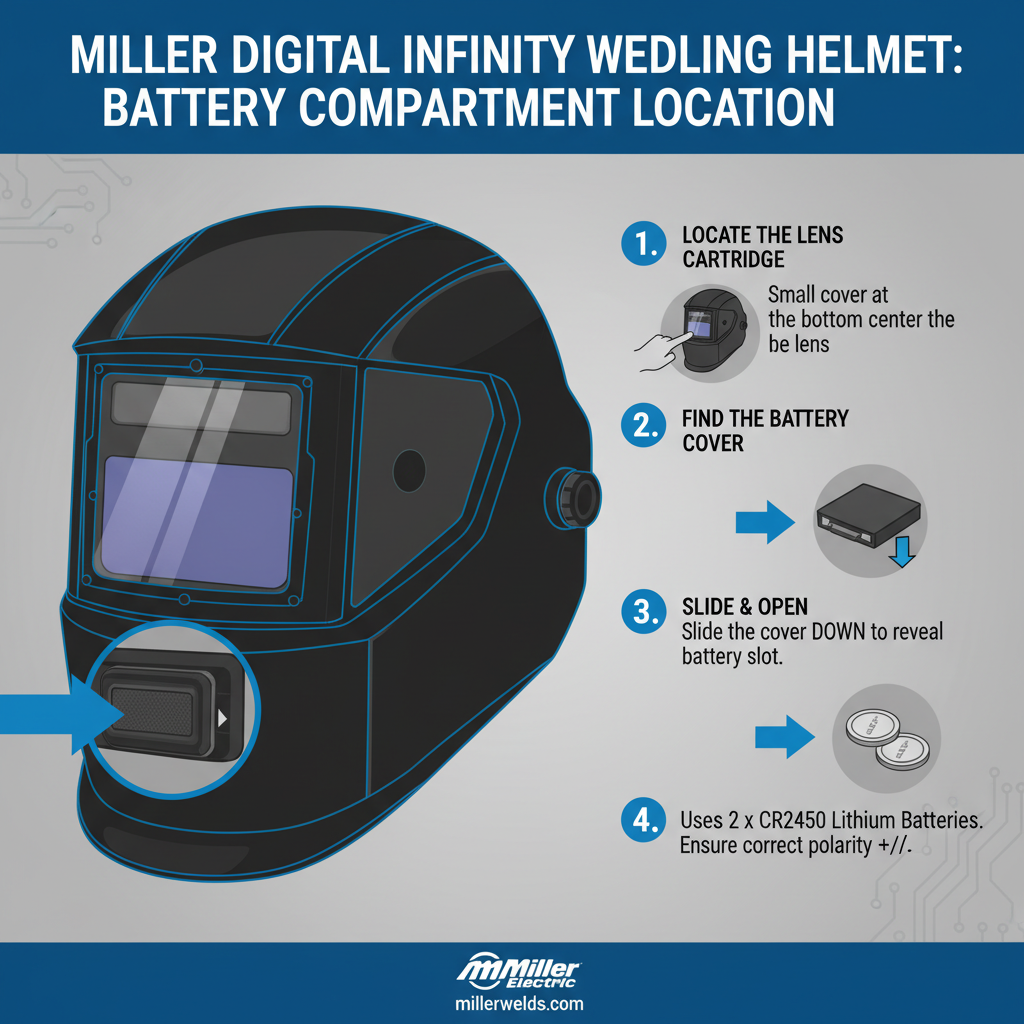
The battery compartment on Miller Digital Infinity helmets is positioned on the exterior of the helmet shell, typically on the right side when viewed from the front. Look for a small rectangular or circular cover with grooves or tabs that indicate it slides or pops open.
Some models feature a coin-slot style opening that requires a quarter or flathead screwdriver to turn. Others have a simple slide-away cover that moves with finger pressure.
The compartment is designed to be accessible without removing the helmet from your head, allowing for quick battery changes during work sessions.
Step-by-Step Battery Replacement Process in Miller Digital Infinity Welding Helmet
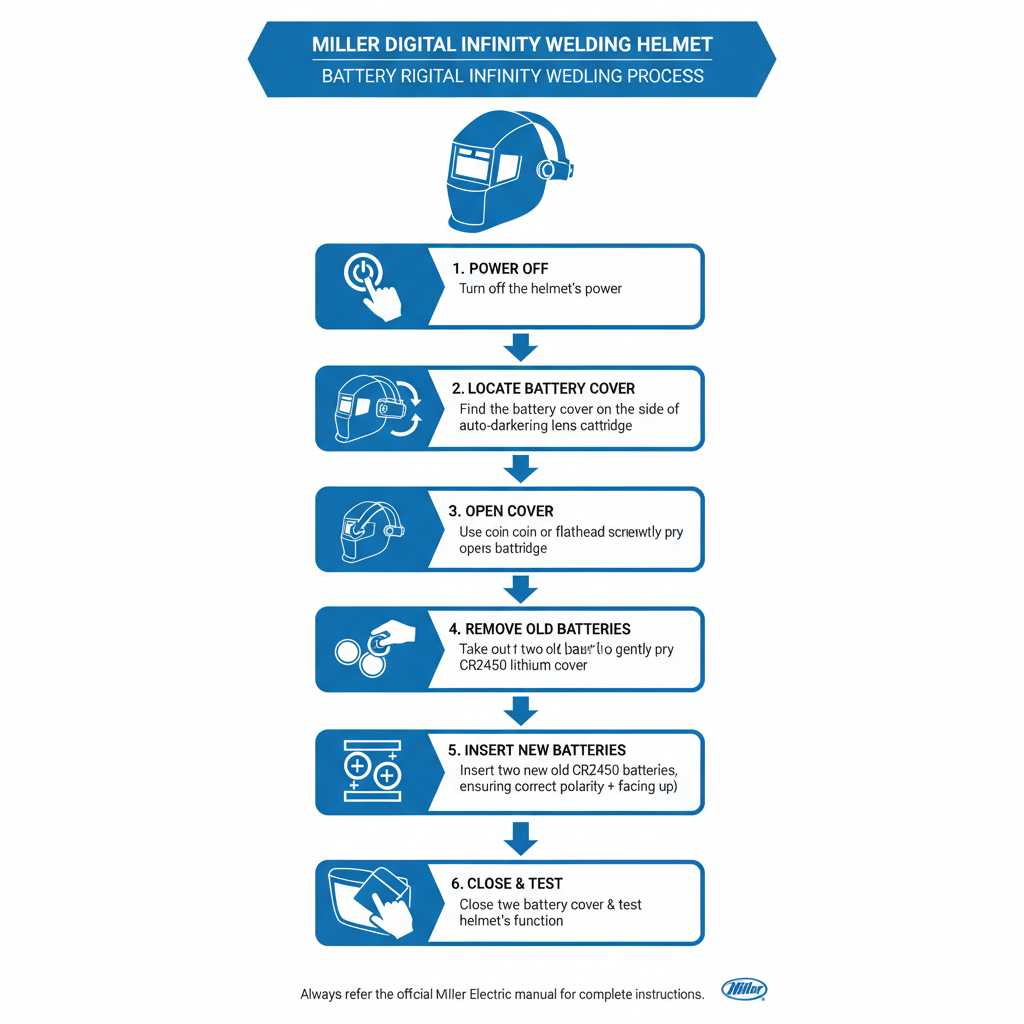
Start by ensuring your helmet is turned off and removed from your head for better access. Clean any debris or dust from around the battery compartment before opening it.
Opening the Compartment:
Slide the battery cover in the direction indicated by arrows or grooves on the cover. If your model has a twist-style cover, turn it counterclockwise using a coin or screwdriver until it releases.
Removing the Old Battery:
Gently lift out the old battery using your fingernail or a small non-metallic tool. Note the orientation of the positive (+) side before removal. Avoid using metal tools that could damage the contacts.
Installing the New Battery:
Place the new battery into the compartment with the positive side facing the same direction as the old battery. In most Miller Digital Infinity models, the positive side faces outward, away from the helmet shell.
Closing the Compartment:
Replace the cover by sliding it back into position or turning it clockwise until it clicks securely. Ensure the cover sits flush against the helmet surface.
Testing the New Battery Installation
After installing the new battery, test the helmet’s functionality before use. Put on the helmet and expose the sensors to bright light, then create shade over the sensors with your hand.
The lens should darken when exposed to bright light and return to its light state when shaded. If the lens doesn’t respond properly, remove and reinstall the battery, checking that the positive side is oriented correctly.
Some models have a sensitivity adjustment that may need readjustment after battery replacement. Consult your specific model’s instructions for optimal sensitivity settings.
Battery Life and Performance Factors
Miller Digital Infinity helmets typically provide 1,500 to 3,000 hours of operation on a single battery, depending on usage patterns and environmental conditions. Cold temperatures can reduce battery life significantly.
Factors that affect battery life:
- Frequency of arc strikes and lens switching
- Storage temperature and humidity
- Age of the helmet’s electronic components
- Quality of the replacement battery
Field experience shows that using high-quality lithium batteries from reputable manufacturers extends operational life compared to generic alternatives. Store spare batteries in a cool, dry place for maximum shelf life.
Common Battery Replacement Issues
Lens Won’t Darken After Replacement:
This usually indicates incorrect battery orientation or poor contact. Remove the battery and reinstall it, ensuring the positive side faces outward and the battery sits flat in the compartment.
Intermittent Darkening:
Often caused by corrosion on battery contacts or a partially depleted battery. Clean the contacts with a dry cotton swab and verify you’re using a fresh battery.
Cover Won’t Close Properly:
Check that the battery is fully seated in the compartment. A slightly raised battery can prevent the cover from closing flush, potentially allowing moisture or debris to enter.
A common issue technicians encounter is assuming the battery is dead when the problem is actually dirty or corroded contacts. Always clean the contact points before installing a new battery.
Maintenance Tips for Extended Battery Life
Keep your helmet stored in a moderate temperature environment when not in use. Extreme heat or cold can drain batteries faster and reduce their overall lifespan.
Clean the helmet’s sensors regularly with a soft, dry cloth. Dirty sensors require the electronics to work harder, consuming more battery power. Avoid using solvents or abrasive materials on the sensor areas.
Consider removing the battery if you won’t be using the helmet for extended periods. This prevents potential corrosion from battery leakage and preserves battery life for when you need it.
When to Replace vs. Repair
If your helmet continues to malfunction after battery replacement and contact cleaning, the issue may be with the electronic components rather than the power source. Miller Digital Infinity helmets are generally reliable, but electronic failures can occur after years of use.
Signs that indicate electronic problems include erratic darkening patterns, failure to lighten after arc extinction, or complete non-responsiveness even with a fresh battery. These issues typically require professional repair or helmet replacement.
In practice, most battery-related problems resolve with proper battery installation and contact maintenance. Only consider repair services if multiple fresh batteries fail to restore normal operation.
FAQ
How often should I replace the battery in my Miller Digital Infinity helmet?
Replace the battery when the lens becomes slow to darken, fails to darken consistently, or shows low battery indicators if your model has them. Typically, this occurs every 6-12 months with regular use.
Can I use rechargeable batteries in my Miller Digital Infinity helmet?
No, use only lithium coin cell batteries as specified for your model. Rechargeable batteries have different voltage characteristics that can damage the helmet’s electronics.
What happens if I install the battery backwards?
Installing the battery with incorrect polarity won’t damage the helmet, but it won’t function. Simply remove and reinstall the battery with the positive side facing the correct direction.
Why does my helmet’s battery drain faster in winter?
Cold temperatures reduce battery efficiency and capacity. Store your helmet in a warmer location when possible, and consider carrying a spare battery during cold weather work.
Should I remove the battery when storing the helmet long-term?
Yes, removing the battery during extended storage prevents potential corrosion from battery leakage and preserves battery life for future use.
How do I know if my battery contacts are corroded?
Look for white, green, or blue deposits around the battery compartment contacts. Clean these with a dry cotton swab or fine sandpaper if necessary.
Can a weak battery cause inconsistent darkening?
Yes, as batteries weaken, they may not provide sufficient power for reliable lens operation, resulting in slow or inconsistent darkening responses.
Final Thoughts
Maintaining your Miller Digital Infinity welding helmet’s battery is essential for safe and effective welding operations. Regular battery replacement, proper installation technique, and basic maintenance of the battery contacts will ensure your helmet provides reliable eye protection for years to come. Keep spare batteries on hand and monitor your helmet’s performance to catch battery issues before they compromise your safety. With proper care, your Digital Infinity helmet will deliver consistent performance throughout its operational life.