
Replacing the battery in your Miller welding helmet is essential for maintaining proper auto-darkening function and ensuring safe welding operations. A dead or weak battery can cause inconsistent darkening, delayed response times, or complete failure of the auto-darkening feature, putting your eyes at risk during welding.
This guide covers the complete battery replacement process for Miller welding helmets, including identification of battery types, step-by-step replacement procedures, troubleshooting tips, and maintenance practices to extend battery life.
To change a Miller welding helmet battery: locate the battery compartment (usually on the inside or side of the helmet), remove the cover using a coin or screwdriver, replace the old batteries with fresh ones matching the correct type (typically CR2032 or AA), and reassemble the compartment. Test the auto-darkening function before welding.
Identifying Your Miller Helmet Model and Battery Type
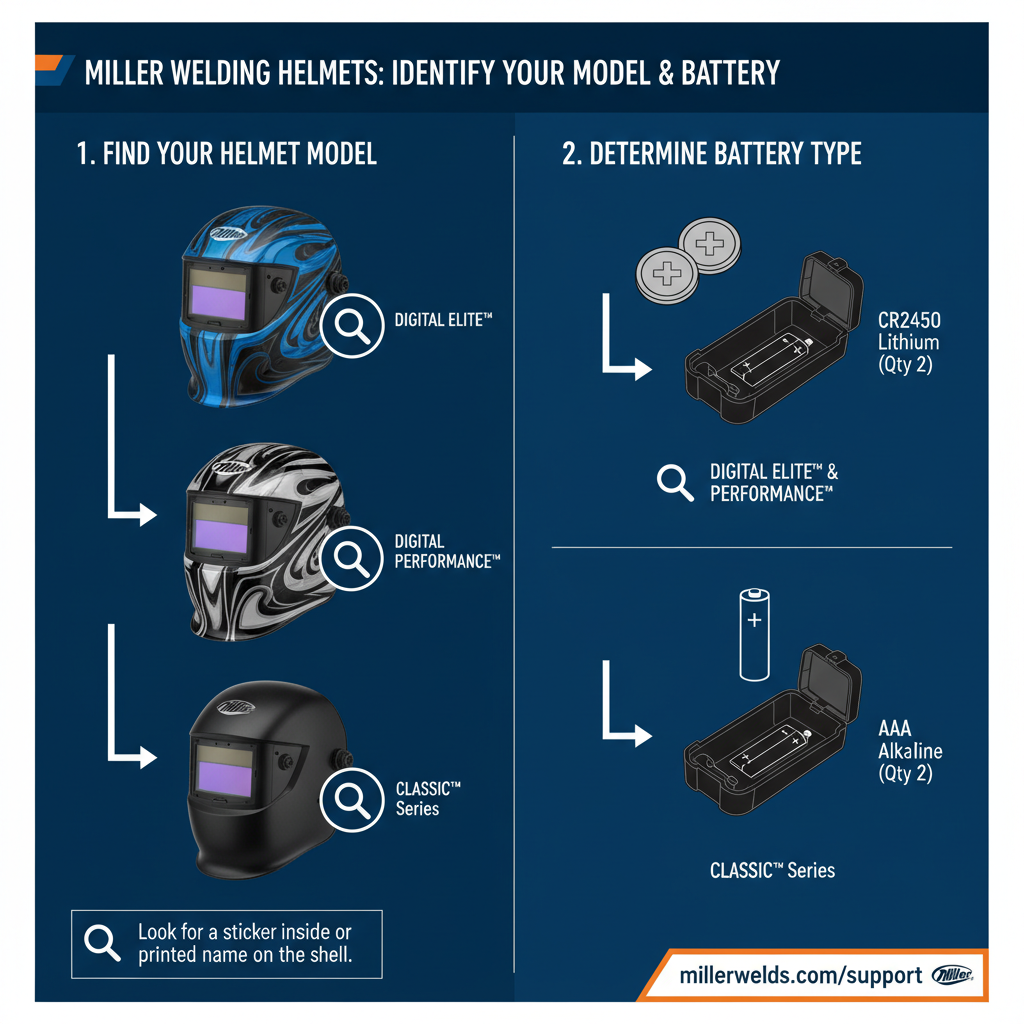
Miller produces several welding helmet models, each with specific battery requirements. The most common Miller helmets include the Digital Elite, Digital Performance, Classic Series, and Vintage Series.
Most Miller auto-darkening helmets use one of three battery configurations. The Digital Elite and Performance models typically require two CR2032 lithium coin batteries. Classic Series helmets often use two AA alkaline batteries. Some newer models feature rechargeable lithium-ion battery packs.
Check your helmet’s user manual or the label inside the helmet shell to confirm the exact battery type. Using incorrect batteries can damage the electronic components or cause poor performance.
Locating the Battery Compartment
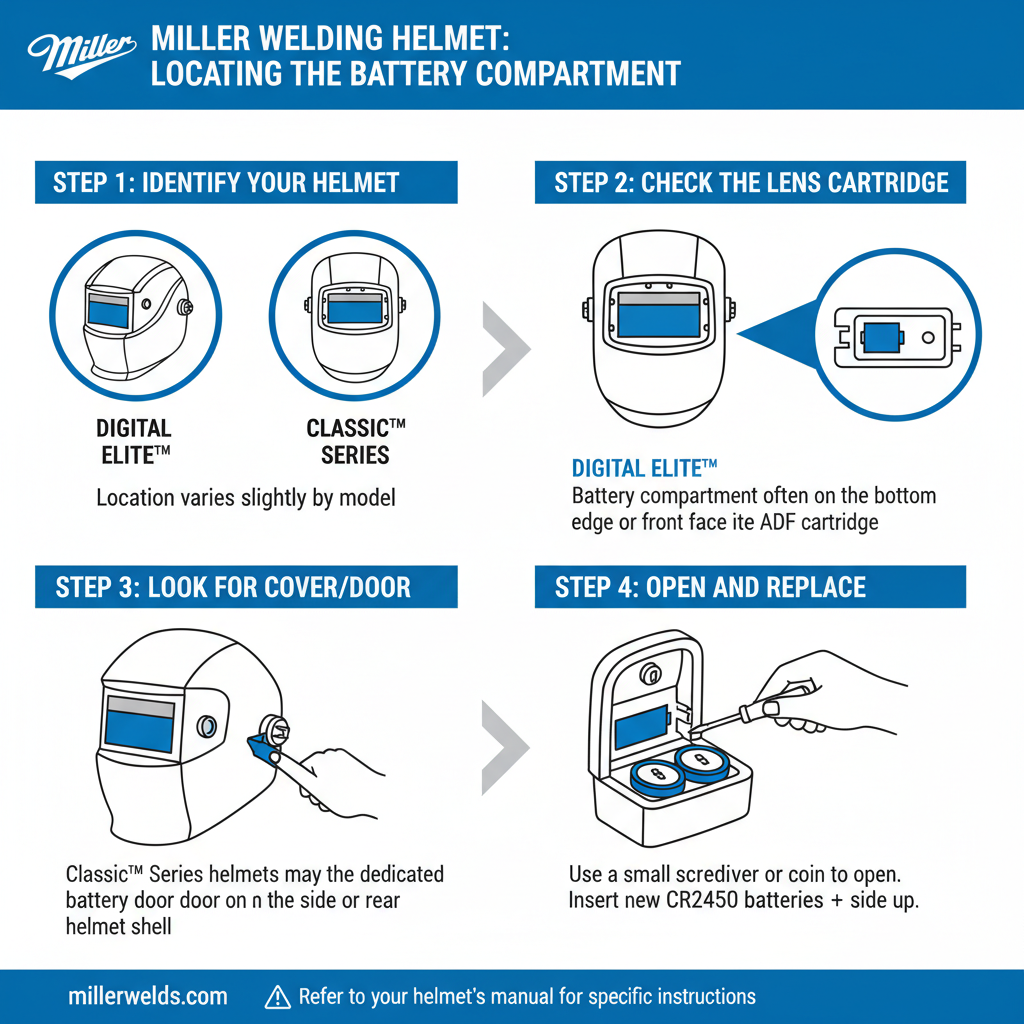
The battery compartment location varies by Miller helmet model. In most Digital Elite and Performance helmets, the compartment sits on the interior left side of the helmet shell, accessible when you lift the helmet.
Classic Series models typically house batteries in a compartment on the exterior side of the helmet, marked with a battery symbol or small cover. Some models position the compartment on the bottom edge of the helmet shell.
Look for a small rectangular or circular cover with coin slots, screw holes, or tab releases. The compartment may be labeled with battery symbols or voltage specifications.
Step-by-Step Battery Replacement Process
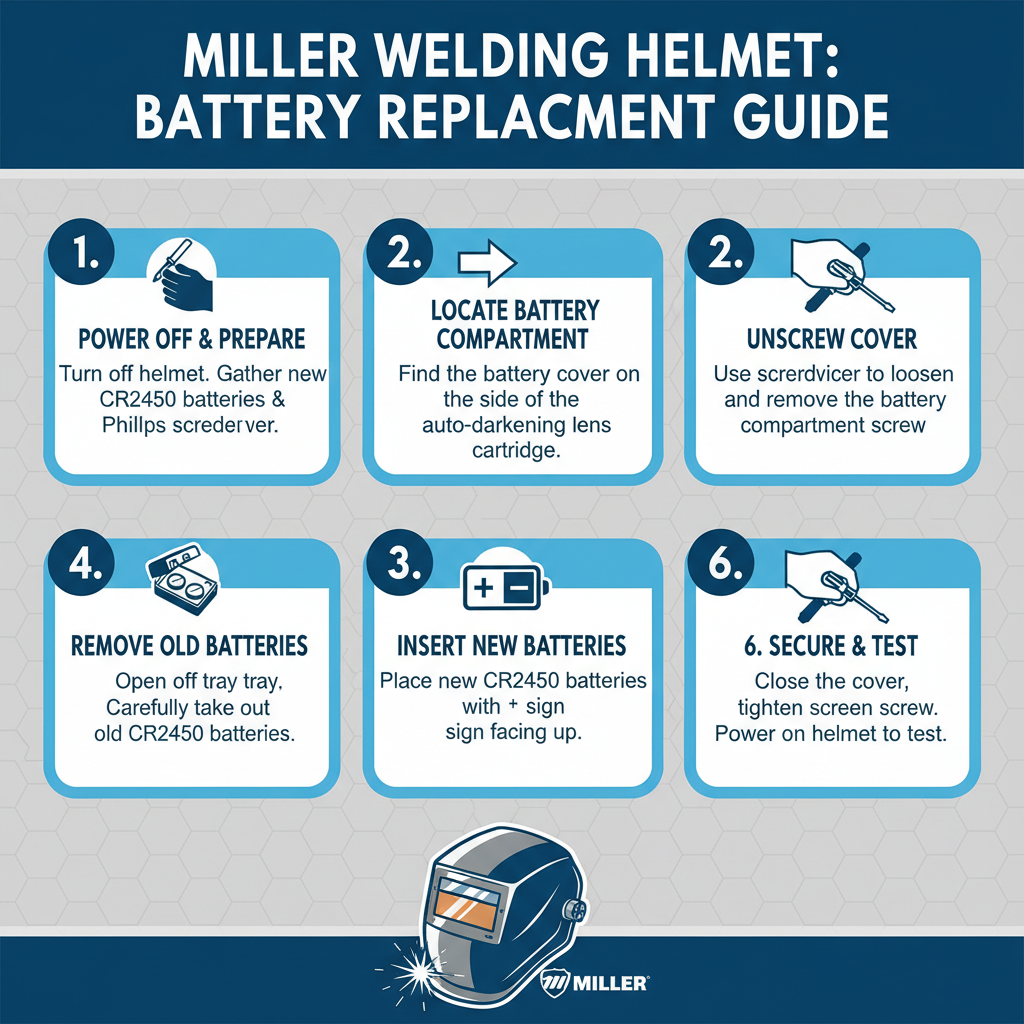
Begin by ensuring your helmet is in the “off” position or sensitivity is set to minimum. Remove the helmet from your head and work in good lighting conditions.
For CR2032 Coin Battery Models:
Locate the battery compartment cover and identify the opening mechanism. Most covers require a coin, small screwdriver, or fingernail to rotate counterclockwise. Turn the cover approximately one-quarter turn until it releases.
Remove the old batteries, noting their orientation. CR2032 batteries have a positive (+) side and negative (-) side clearly marked. Take a photo of the battery placement before removal to ensure correct reinstallation.
Insert new CR2032 batteries with the positive side facing the direction indicated by the + symbol in the compartment. Press batteries firmly into place, ensuring proper contact with the terminals.
Replace the compartment cover by aligning it properly and turning clockwise until it clicks or seats firmly. Do not overtighten, as this can crack the plastic housing.
For AA Battery Models:
Open the battery compartment by sliding the cover or pressing the release tabs. Some models require removing screws with a small Phillips head screwdriver.
Remove old AA batteries, observing the polarity markings inside the compartment. AA batteries must be inserted with the positive end toward the spring terminal and negative end toward the flat contact.
Install fresh AA alkaline batteries, ensuring they seat completely in the compartment. The batteries should fit snugly without forcing them into position.
Close the compartment cover securely, ensuring all tabs or screws are properly fastened. Loose connections can cause intermittent power issues.
Testing Auto-Darkening Function
After battery replacement, test the helmet’s auto-darkening feature before welding. Set the sensitivity and delay controls to your preferred settings.
Hold the helmet at arm’s length and look through the viewing area at a bright light source, such as a welding arc, bright flashlight, or direct sunlight. The lens should darken within milliseconds of detecting the light.
Test the grind mode function if your helmet includes this feature. The lens should remain in the light state when grind mode is activated, regardless of light exposure.
Check that the low battery indicator (if present) no longer displays. Some Miller helmets show a blinking light or symbol when battery power is insufficient.
Battery Life and Performance Factors
CR2032 lithium batteries typically provide 1,500 to 3,000 hours of welding time in Miller helmets, depending on usage patterns and environmental conditions. AA alkaline batteries generally last 500 to 1,000 hours under normal welding conditions.
Temperature extremes significantly impact battery performance. Cold temperatures below 32°F can reduce battery life by 30-50%, while excessive heat above 120°F can cause premature battery failure or leakage.
Frequent on-off cycling, high sensitivity settings, and continuous arc exposure drain batteries faster than steady welding with moderate settings. Leaving the helmet in bright sunlight when not in use also accelerates battery drain.
Common Battery Replacement Problems
Incorrect battery orientation is the most frequent installation error. Double-check that positive and negative terminals align with the markings in the battery compartment. Reversed batteries can damage the electronic circuits.
Corroded battery contacts prevent proper electrical connection. Clean contacts with a pencil eraser or fine sandpaper if you notice white or green corrosion buildup. Replace severely corroded helmets, as acid damage may have affected internal components.
Mixed battery types or ages cause uneven power delivery and reduced performance. Always replace all batteries simultaneously with the same brand and type. Never mix alkaline and lithium batteries in the same helmet.
Loose compartment covers allow moisture and debris to enter, causing premature battery failure. Ensure covers seal tightly and replace damaged or cracked compartment housings.
Extending Battery Life
Store your Miller helmet in a cool, dry location when not in use. Extreme temperatures and humidity accelerate battery drain and can cause internal condensation.
Turn off the helmet or set sensitivity to minimum when welding is complete. Many Miller helmets feature auto-shutoff functions, but manual shutdown conserves additional battery power.
Clean the helmet’s photo sensors regularly with a soft, dry cloth. Dirty or obstructed sensors require higher sensitivity settings, which drain batteries faster.
Replace batteries before they become completely dead. Weak batteries can leak acid, damaging internal components and requiring expensive repairs.
Professional Maintenance Tips
Field experience shows that keeping spare batteries in your welding kit prevents work interruptions. Store spare batteries in their original packaging to maintain freshness and prevent accidental discharge.
In practice, replacing batteries every 6-12 months during regular welding schedules ensures consistent performance. Professional welders often replace batteries at the beginning of major projects to avoid mid-job failures.
A common issue technicians encounter is intermittent darkening caused by loose battery connections. If your helmet works sporadically after battery replacement, remove and reinstall the batteries, ensuring firm contact with all terminals.
Consider upgrading to Miller helmets with external battery indicators if you frequently experience unexpected battery failures. These models provide advance warning before complete battery depletion.
Frequently Asked Questions
How often should I replace the battery in my Miller welding helmet?
Replace batteries every 6-12 months for regular use, or when you notice slow darkening response, inconsistent performance, or low battery warnings. Heavy-use professionals may need more frequent replacement.
Can I use rechargeable batteries in my Miller helmet?
Only use rechargeable batteries if your specific Miller model is designed for them. Most models require disposable alkaline or lithium batteries. Using incompatible rechargeable batteries can damage the electronics.
Why does my helmet still not work after replacing the battery?
Check battery orientation, ensure proper contact with terminals, verify you’re using the correct battery type, and confirm the compartment cover is securely closed. If problems persist, the helmet may need professional repair.
What happens if I install the wrong battery type?
Wrong battery types can provide incorrect voltage, potentially damaging the auto-darkening electronics. Always use the exact battery type specified in your helmet’s manual or marked in the battery compartment.
How do I know when my Miller helmet battery is getting low?
Signs include slower darkening response, inconsistent auto-darkening, flickering during welding, or visible low-battery indicators on models equipped with this feature. Replace batteries immediately when these symptoms appear.
Can cold weather affect my helmet’s battery performance?
Yes, temperatures below freezing significantly reduce battery life and can cause delayed or inconsistent auto-darkening. Store helmets at room temperature when possible and consider carrying spare batteries in cold conditions.
Should I remove batteries if I won’t use my helmet for extended periods?
Remove batteries if storing the helmet for more than 3-6 months to prevent potential acid leakage damage. Store removed batteries separately in a cool, dry location.
Final Thoughts
Regular battery maintenance keeps your Miller welding helmet functioning safely and reliably. Following proper replacement procedures, using correct battery types, and implementing good storage practices will maximize battery life and ensure consistent auto-darkening performance. Keep spare batteries readily available and replace them before complete failure to avoid welding interruptions and potential eye injury from malfunctioning equipment.