
Removing the battery from your Miller Bobcat welder is a straightforward maintenance task that every operator should know. Whether you need to replace a dead battery, perform seasonal storage, or troubleshoot electrical issues, proper battery removal ensures safe operation and extends equipment life. This guide covers the complete process, safety considerations, and expert tips for handling your Bobcat welder’s electrical system.
To remove a Miller Bobcat welder battery: Turn off the engine and disconnect the key, locate the battery compartment (usually under the control panel or side access door), disconnect the negative cable first followed by the positive cable, remove the battery hold-down bracket, and lift out the battery using proper lifting technique.
Safety Precautions Before Starting
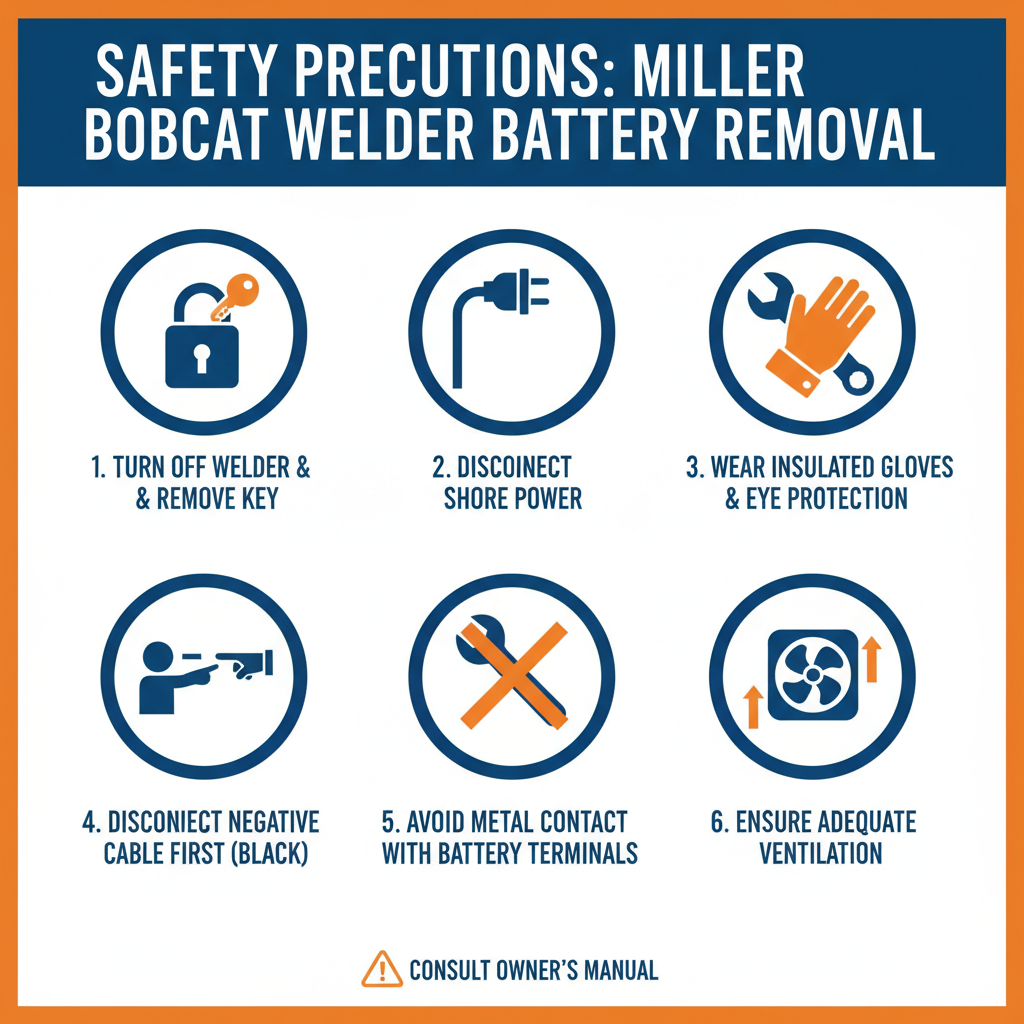
Battery removal involves working with electrical components and heavy equipment. Always wear safety glasses and work gloves to protect against acid splashes and cuts from sharp edges.
Ensure the engine is completely shut off and the key is removed. Allow the engine to cool for at least 15 minutes before beginning work, as battery compartments can retain heat from engine operation.
Work in a well-ventilated area away from sparks, flames, or smoking materials. Lead-acid batteries produce hydrogen gas, which is highly flammable and can cause explosions in confined spaces.
Locating Your Battery Compartment
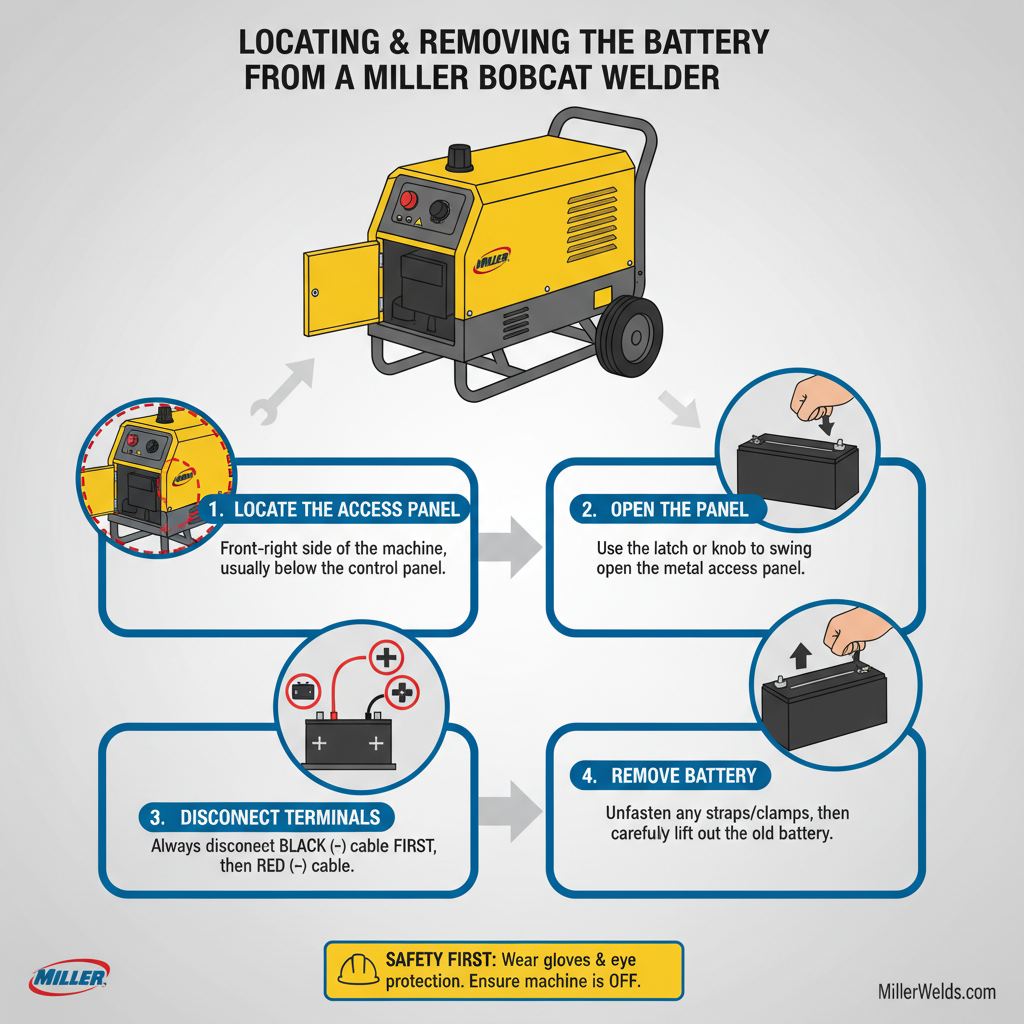
Miller Bobcat welders feature different battery locations depending on the model year and configuration. Most units house the battery under a hinged access panel on the operator’s side of the machine.
On newer Bobcat models, lift the control panel cover to reveal the battery compartment. The battery typically sits in a plastic tray with a metal hold-down bracket securing it in place.
Older Bobcat welders may have the battery mounted in a side compartment accessible through a removable panel. Check your owner’s manual for model-specific locations if the battery isn’t immediately visible.
Tools and Materials Needed
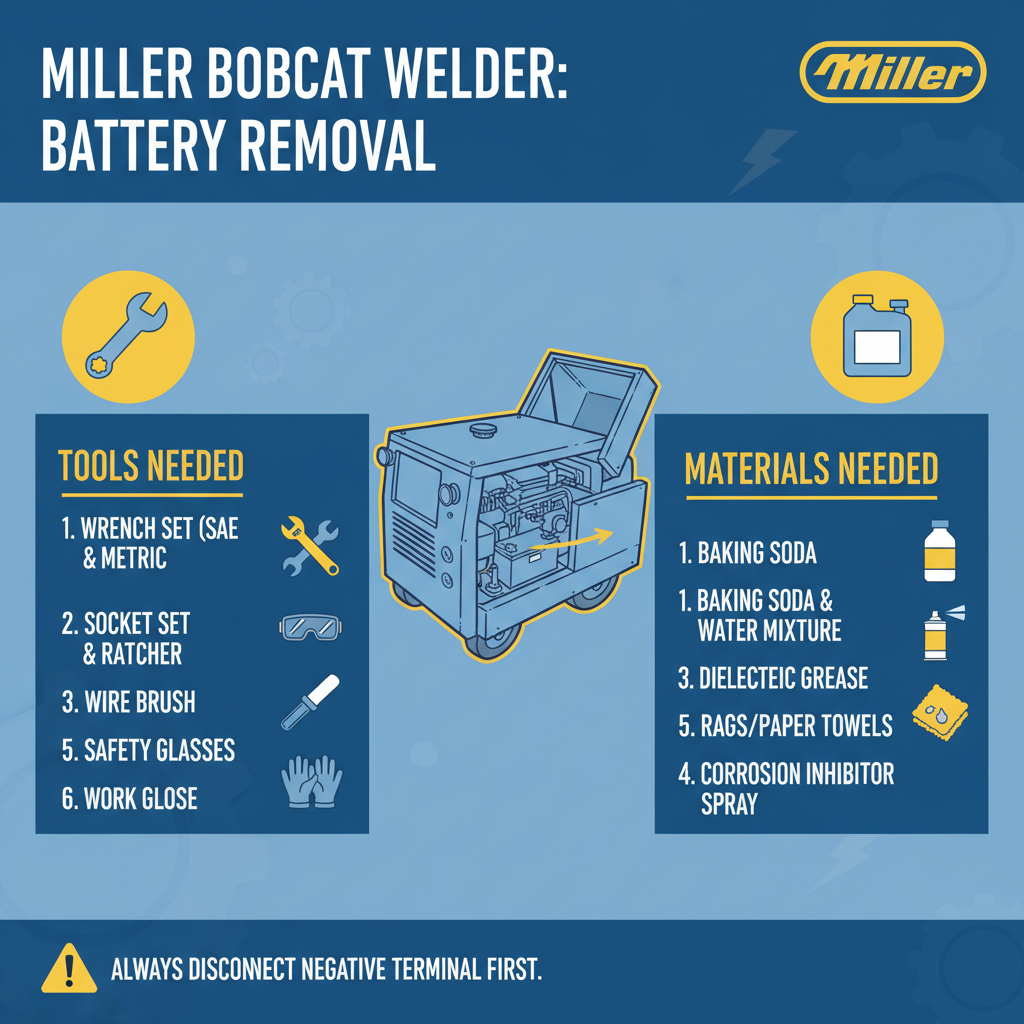
Gather these essential tools before starting the removal process:
• 10mm or 7/16-inch wrench or socket set
• Wire brush or battery terminal cleaner
• Shop rags or paper towels
• Battery lifting strap or helper (batteries weigh 40-60 pounds)
• Penetrating oil for corroded connections
Having the right tools prevents damage to terminals and makes the job safer and more efficient. Field experience shows that corroded terminals often require penetrating oil and patience to remove without breaking.
Step-by-Step Battery Removal Process
Start by opening the battery compartment and identifying the positive and negative terminals. The positive terminal typically has a red cable or red marking, while the negative connects to a black cable or ground strap.
Step 1: Disconnect the negative terminal first. Loosen the terminal clamp nut counterclockwise until the clamp slides off the battery post. This prevents accidental short circuits if your wrench touches metal while working on the positive terminal.
Step 2: Remove the positive terminal connection. Loosen the positive terminal clamp and slide it off the battery post. Keep the cables separated and away from the battery terminals.
Step 3: Remove the battery hold-down bracket. Most Miller Bobcat welders use a J-bolt system or threaded rod with wing nuts to secure the battery. Remove these fasteners and lift away the hold-down bracket.
Step 4: Lift out the battery. Grip the battery case firmly on opposite corners, keeping your back straight and lifting with your legs. Batteries are top-heavy and can slip, so maintain a secure grip throughout the removal.
Common Terminal Connection Issues
Corroded terminals present the most frequent challenge during battery removal. White, blue, or green buildup around terminals indicates corrosion that can make removal difficult.
Apply penetrating oil to corroded connections and allow 10-15 minutes for penetration before attempting removal. Gentle tapping with a small hammer can help break corrosion bonds, but avoid excessive force that could crack the battery case.
In practice, severely corroded terminals may require cutting the cable clamps if they cannot be removed safely. This necessitates replacing the terminal clamps during reinstallation.
Battery Inspection and Testing
Once removed, inspect the battery case for cracks, bulging, or acid leaks. A damaged case requires immediate battery replacement, as acid leaks can damage the welder’s components and pose safety hazards.
Check the battery voltage using a digital multimeter. A fully charged 12-volt battery should read 12.6 volts or higher at rest. Readings below 12.0 volts indicate a discharged or failing battery.
Load testing provides the most accurate assessment of battery condition. Most auto parts stores offer free battery testing services if you don’t have access to a load tester.
Proper Battery Storage
Store removed batteries in a cool, dry location away from direct sunlight and freezing temperatures. Extreme temperatures accelerate battery degradation and can cause permanent damage.
Maintain stored batteries by checking voltage monthly and charging when readings drop below 12.4 volts. A battery tender or smart charger prevents overcharging while maintaining optimal charge levels.
Clean battery terminals with a wire brush and apply a thin coat of petroleum jelly to prevent corrosion during storage. This simple step significantly extends battery life and ensures reliable performance.
Reinstallation Preparation
Before installing a battery, clean the battery tray and hold-down hardware with a wire brush to remove corrosion and debris. Apply a light coat of corrosion inhibitor to metal surfaces that contact the battery.
Inspect cable ends and terminal clamps for damage or excessive corrosion. Replace damaged components before installation to ensure reliable electrical connections.
Verify that replacement batteries match the original specifications for size, terminal configuration, and cold cranking amps (CCA). Using an undersized battery can lead to starting problems and premature failure.
Troubleshooting Electrical Issues
If battery removal was prompted by starting problems, check the charging system before installing a new battery. A faulty alternator or voltage regulator will quickly damage a replacement battery.
Test alternator output with the engine running at 1500 RPM. Voltage readings should be 13.5-14.5 volts at the battery terminals. Readings outside this range indicate charging system problems requiring professional diagnosis.
A common issue technicians encounter is parasitic drain, where electrical components continue drawing power with the engine off. This condition will discharge even a new battery within days or weeks.
Frequently Asked Questions
How often should I replace my Miller Bobcat welder battery?
Most welder batteries last 3-5 years with proper maintenance. Replace batteries showing signs of reduced capacity, slow cranking, or physical damage regardless of age.
Can I use any 12-volt battery in my Bobcat welder?
Use only batteries meeting Miller’s specifications for size, CCA rating, and terminal configuration. Marine or deep-cycle batteries may not provide adequate starting power for diesel engines.
Why does my battery keep dying even after replacement?
Persistent battery drain typically indicates charging system problems, parasitic electrical draw, or improper battery maintenance. Have the charging system tested by a qualified technician.
Is it safe to jump-start a Miller Bobcat welder?
Yes, but follow proper jump-starting procedures and use appropriate gauge jumper cables. Connect positive to positive first, then negative to a good ground point away from the battery.
Should I disconnect the battery for long-term storage?
Remove and store the battery separately for storage periods exceeding 30 days. This prevents discharge from parasitic loads and protects against freezing damage.
What causes white buildup on battery terminals?
Terminal corrosion results from acid vapors reacting with metal components. Regular cleaning and application of terminal protectant prevents excessive buildup.
Can I clean battery terminals while connected?
Always disconnect terminals before cleaning to prevent short circuits and electrical damage. Clean terminals and cable ends separately for best results.
Final Thoughts
Removing a Miller Bobcat welder battery requires attention to safety procedures and proper technique, but the process itself is straightforward with the right preparation. Always disconnect the negative terminal first and positive terminal last to prevent electrical shorts. Regular battery maintenance, including terminal cleaning and voltage checks, extends battery life and ensures reliable welder operation. When in doubt about battery condition or electrical issues, consult a qualified technician to prevent costly damage to your equipment. Proper battery care is essential for maintaining your Bobcat welder’s performance and avoiding unexpected downtime in the field.